


visionOS 27 Beta 4 Explained: Developer Tools and Known Issues
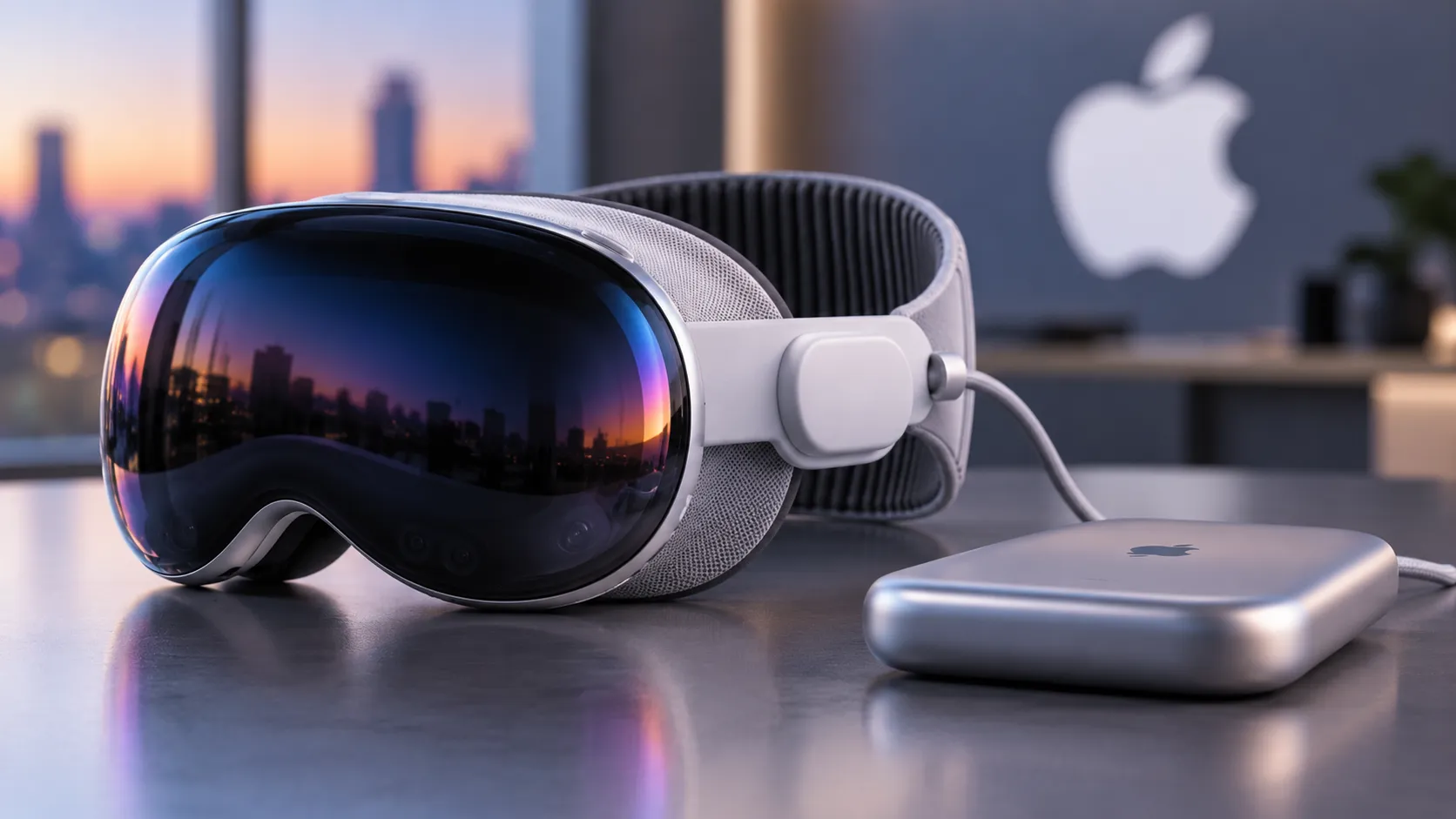
With visionOS 27 beta 4 now in circulation, no build-specific release notes have been published at the time of writing. That gap makes this a reasonable moment to assess what the cycle has actually documented. Beta 3 notes and Apple's WWDC26 developer sessions tell a consistent story: this is a platform-hardening effort, not a consumer feature push. For Vision Pro owners who aren't shipping apps, the public beta remains the right entry point, as iThinkDifferent reported two weeks ago.
Consumer-facing additions do exist. Curved app windows, auto-expanding notifications, a new Icelandic Þórsmörk environment, and the ability to convert panorama photos into spatial environments are all confirmed from prior betas, MacRumors reported two weeks ago. But the bulk of documented work runs elsewhere: RealityKit rendering, ARKit memory management, SwiftData deadlocks, Metal texture sampling, Foundation Models compiler errors, StoreKit testing. Changes that matter almost exclusively to people shipping apps, iThinkDifferent reported two weeks ago. Developer betas for the full Apple OS lineup have been available at developer.apple.com since the initial seed following WWDC, per Apple's Newsroom last month.
Why non-developers should skip the Apple Vision Pro visionOS 27 beta 4 builds
The case for waiting isn't boilerplate caution. The known issues documented in beta 3 hit normal workflows directly.
Mac Virtual Display fails to reconnect after putting the headset on. TestFlight apps launch into blank windows. Genmoji and Image Playground panels aren't working correctly. Spatial Personas don't function correctly during High Quality Recording. None of these are obscure edge cases, iThinkDifferent reported two weeks ago.
Siri is supposed to be a headline addition in visionOS 27. The known issues list tells a different story, for now. Message sending fails, Maps navigation requests don't work correctly, conversation history doesn't persist between sessions, and the pinned orb position resets after a restart, according to iThinkDifferent. Private Cloud Compute may not function correctly in Simulator environments, and some Apple Intelligence reports for Home Intelligence may omit activity processed through it, per iThinkDifferent.
The Siri additions, once they work, are genuinely well-suited to how Vision Pro operates. Users will be able to activate Siri by looking at the orb and speaking, no wake phrase required. The orb can be repositioned anywhere in the virtual workspace. Siri will also be able to answer questions about whatever the wearer is currently looking at, MacRumors reported two weeks ago. Gaze-driven invocation fits Vision Pro's core interaction model in a way borrowed iPhone behaviors never quite did. The implementation just isn't there yet.
visionOS 27 beta 4 features for developers: three paths onto the platform
The more consequential work in this cycle is Apple's effort to lower the cost of building for Vision Pro. Three distinct entry paths are now available, as outlined in Apple's WWDC26 developer sessions last month:
- An iOS or iPadOS app can be made available on Vision Pro by checking a single box in App Store Connect, no code changes required. Developers who want spatial refinements can go further by adding visionOS as a deployment target in Xcode.
- The new Spatial Preview framework lets Mac developers push images, documents, and 3D content directly to a Vision Pro headset without building a visionOS app. SharePlay collaboration is included.
- The Foveated Streaming framework, which launched in visionOS 26.4, lets Vision Pro connect to a PC and stream OpenXR content, allocating more bandwidth toward wherever the user is looking. Apple's developer materials say existing OpenXR apps can reach streaming-ready status in about a day that figure comes from Apple's own WWDC guidance and hasn't been independently verified, but it signals the directional intent clearly enough.
Taken together, these three paths reflect a practical concession: native spatial apps alone won't fill the library. The checkbox path costs a developer almost nothing. The Mac Spatial Preview path removes the need to write a visionOS app entirely. The PC streaming path targets developers with no Apple toolchain experience whatsoever. Each one lowers a different barrier.
Below that layer, the beta cycle shows Apple smoothing everyday development friction. App Intents now supports attributed text for note creation, and the Calendar event deletion schema has been simplified. A new localized Background Assets system lets apps download only the language-specific resources each user needs; Apple has deprecated On Demand Resources in favor of this approach, iThinkDifferent reported two weeks ago. Smaller app footprints, less overhead to get there.
The framework investment goes deeper. RealityKit gains physical-space lighting that blends virtual illumination with real-world surroundings, a custom reverb mesh for spatially accurate audio, and Gaussian Splatting, a technique for reconstructing real environments from photographic data. Reality Composer Pro now includes an AI assistant that generates textured 3D models from text prompts directly inside the editor, per Apple's WWDC26 sessions.
Object tracking gets a meaningful upgrade as well. visionOS 27 adds high-frame-rate pose updates for objects in motion, including handheld items, alongside a new extended training mode in Create ML for improved accuracy, per Apple's WWDC26 object tracking session. A new ARKit Coordinate Space Correction API lets apps query an object's position in physical metric space, independent of display corrections. Apple specifically highlights precision measurement scenarios such as medical tools as the target use case. Object tracking APIs are also coming to iOS 27; once trained, reference objects will work across both platforms without additional effort, per Apple's developer materials.
Better tracking enables more accurate surgical training applications and industrial inspection tools. Gaussian Splatting opens the door to photorealistic reconstructions of physical spaces. The Mac and PC bridges let developers reach Vision Pro without rebuilding their toolchains. None of that reaches users directly it arrives after developers build on what Apple is shipping now.
What to watch as the visionOS 27 beta update cycle continues
Beta 4 is a checkpoint. The question worth watching is whether the platform Apple is assembling will attract the developer volume Vision Pro's app catalog still needs.
The fix record across RealityKit rendering, ARKit memory management, SwiftData, Foundation Models, and StoreKit testing represents the unglamorous work of making a platform genuinely buildable, not just technically impressive, iThinkDifferent reported two weeks ago. Vision Pro's hardware has consistently outrun its software ecosystem since launch. The three-path developer strategy, the ARKit and RealityKit upgrades, the steady bug-fix cadence taken together, the available notes suggest this beta cycle is Apple's most deliberate attempt to close that gap.
The next meaningful signal will be whether beta 5 or the public beta release begins to resolve the Siri and Mac Virtual Display issues that make the current developer builds impractical for daily use. Until those close out, the consumer story stays on hold.


Comments
Be the first, drop a comment!