


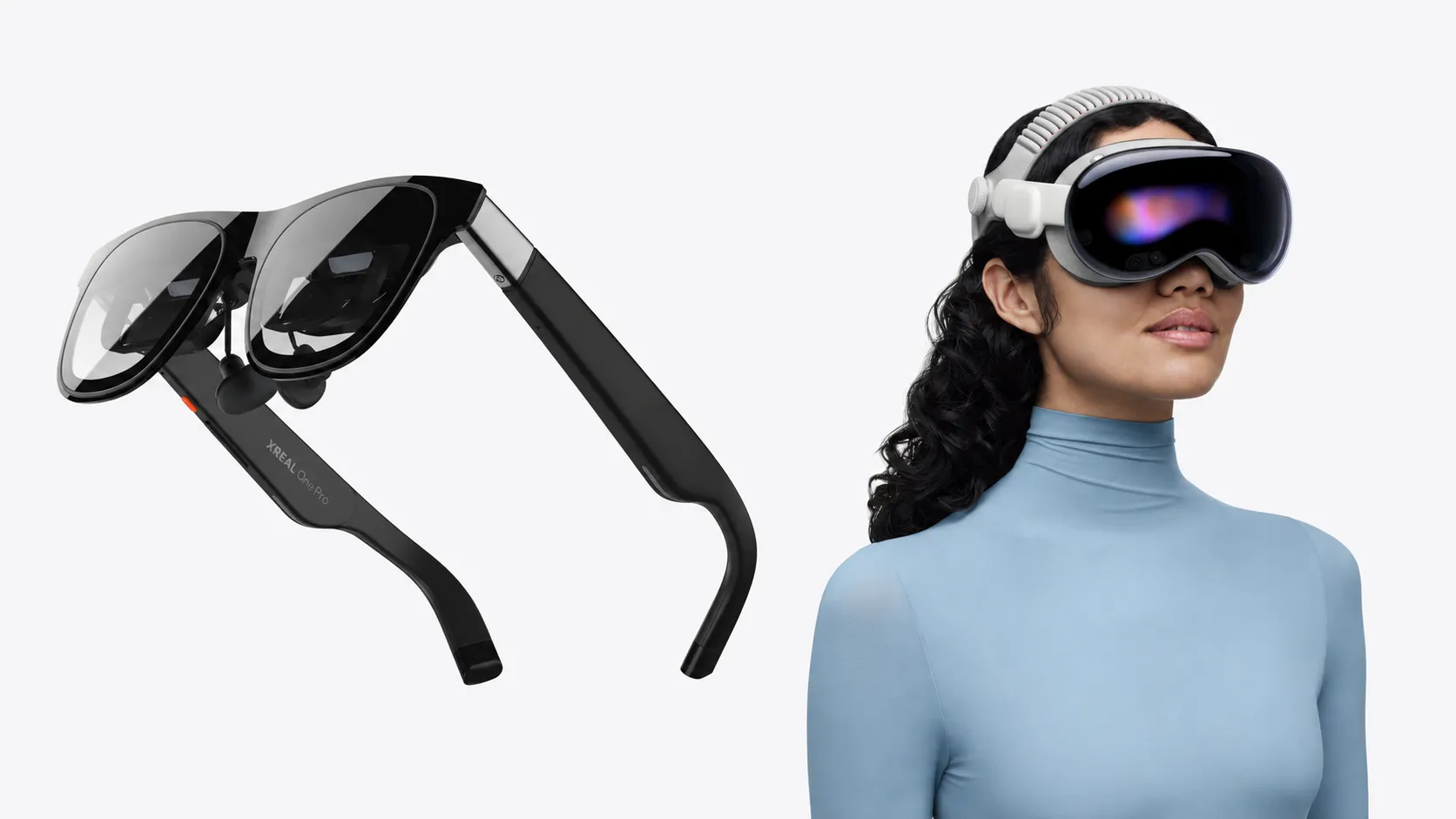
Watching a 3D movie no longer requires a specialized television or a trip to the theater. Wearable displays now make it possible to enjoy stereoscopic films almost anywhere, but choosing between XREAL glasses and Apple's Vision Pro involves more than comparing screen quality. The two devices differ considerably in the movies they can play, how viewers access them, and the equipment required.
Apple Vision Pro offers studio-licensed 3D films through the Apple TV app and supported streaming services. XREAL's One-series glasses take a different approach, displaying compatible side-by-side (SBS) video from connected devices while also converting ordinary 2D footage into simulated 3D.
That distinction becomes especially important for viewers with existing digital movie libraries or older 3D Blu-rays. A film that plays in three dimensions on one device won't necessarily work the same way on another.
How XREAL and Vision Pro handle 3D video
Not all 3D video uses the same technology. Stereoscopic films create depth by presenting separate images to each eye. Those images may be recorded using stereoscopic cameras, rendered separately for animation, or generated through postproduction conversion.
SBS video packages both eye views into a single frame. Half SBS compresses them horizontally into a 1920 × 1080 frame, while Full SBS uses 3840 × 1080, preserving 1080p resolution for each eye.
XREAL's One-series glasses support both formats, according to the company's official 3D playback documentation. The glasses separate the images during playback, allowing each eye to receive the appropriate view. The source video must already contain stereoscopic information for this mode to work correctly.
XREAL also offers REAL 3D, which uses image processing to generate simulated depth from conventional 2D content. Unlike native stereoscopic footage, this effect estimates depth rather than reproducing separate images captured or prepared by a filmmaker.
Apple Immersive Video represents another category. Apple's format uses 180-degree stereoscopic 8K footage with Spatial Audio, extending the viewing experience beyond a conventional movie screen. It is distinct from standard 3D films and is designed for Vision Pro.
Apple Vision Pro: Licensed 3D movies without file conversion
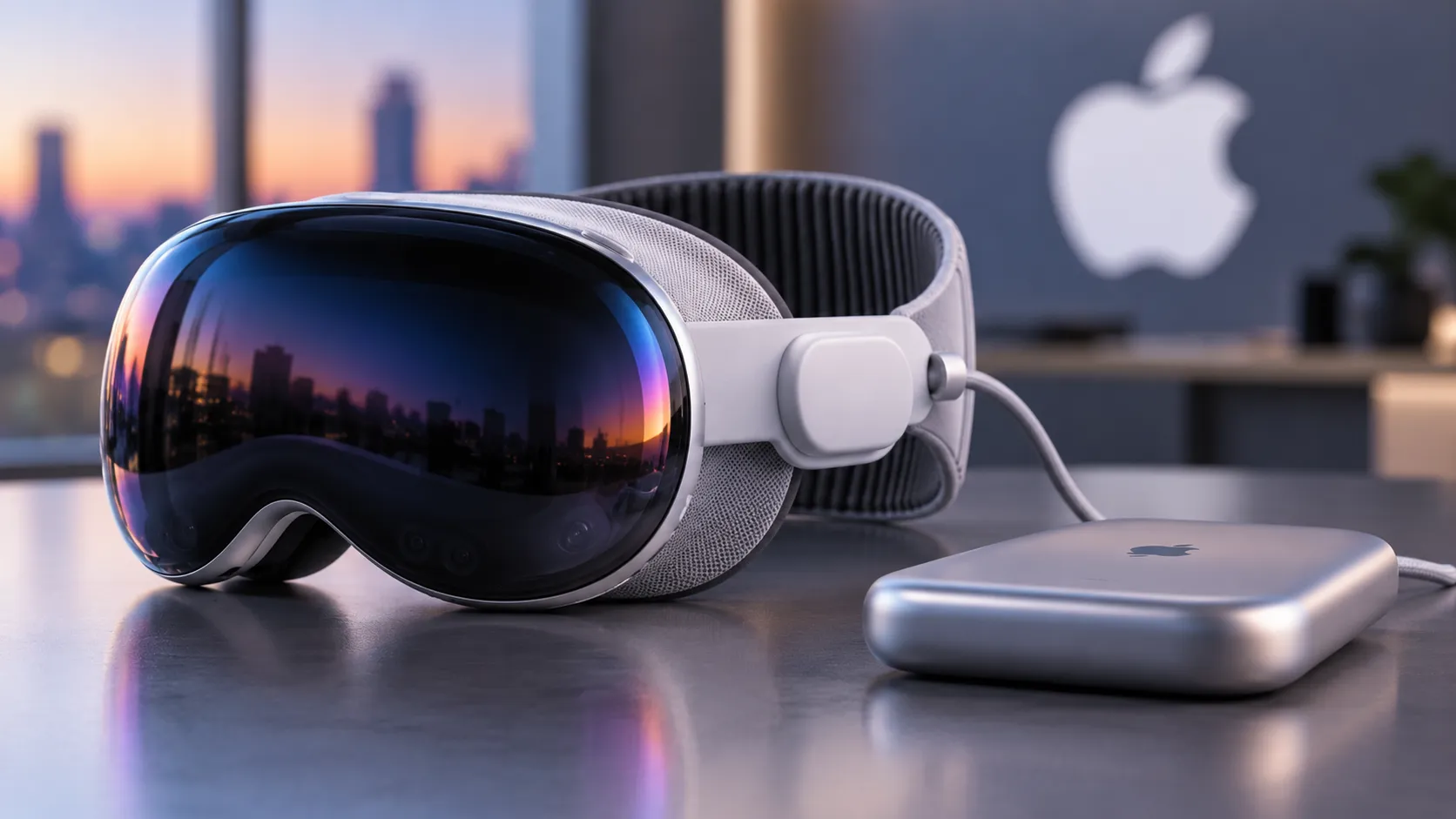
Vision Pro's main advantage is direct access to commercially released 3D movies. Apple introduced the headset in February 2024 with more than 150 stereoscopic titles, but that library has expanded considerably.
Apple now advertises more than 300 movies available in 3D through the Apple TV app, including Wicked: For Good, Superman, and Dune. Disney+ also offers supported 3D films, although selections vary by region and service.
How to watch a 3D movie on Vision Pro
According to Apple's playback guide, viewers can open the Apple TV app, select the Vision or Search tab, and choose 3D movies. After selecting a title, they can rent, purchase, or open an available film and select Play in 3D.
The app also allows viewers to switch between 2D and 3D playback. Supported movies can be downloaded for offline viewing, although download availability depends on the title.
Previously purchased movies may already be eligible for 3D playback at no additional cost. Apple automatically upgrades qualifying HD or 4K films purchased directly through its store when a compatible 3D version becomes available.
There is an important limitation: Apple's 3D upgrade eligibility policy excludes movies purchased through Movies Anywhere, Vudu, and similar third-party services. Those films can remain accessible in 2D without receiving the free 3D upgrade.
Vision Pro can also run third-party media players for locally stored content. However, support for SBS files and other stereoscopic formats depends on the individual application, its decoding capabilities, and the file itself. Owning Vision Pro does not automatically make every 3D video format playable.
XREAL: More options for local 3D files
XREAL's One, One Pro, and 1S glasses prioritize flexibility rather than an integrated movie storefront. They function primarily as wearable displays, receiving video from compatible connected equipment instead of providing Vision Pro's self-contained entertainment environment.
That arrangement suits viewers who already have SBS video files, use computers or handheld gaming devices for entertainment, or want simulated depth added to conventional footage.
How to play SBS movies on XREAL glasses
First, connect the glasses to a supported phone, computer, or other video source and open an SBS file. Double-click the red X button on the glasses to access the menu, then navigate to Spatial Screen → 3D Mode.
Choose Half SBS or Full SBS according to the video's resolution, then switch to full-screen playback. Selecting the wrong format may cause the two eye views to appear improperly aligned.
XREAL's optional Beam Pro provides another playback route. Its built-in media player supports SBS, top-and-bottom, 180-degree panoramic, and 360-degree panoramic 3D videos. Compatible files can play through Beam Pro without manually activating the glasses' 3D mode.
Can XREAL turn regular movies into 3D?
Yes, although the resulting effect differs from a professionally produced stereoscopic release.
XREAL's REAL 3D feature converts conventional video into simulated stereoscopic imagery in real time. After installing the latest supported firmware, users can select REAL 3D from the glasses' 3D Mode menu.
The software provides four intensity settings: Soft, Natural, Enhanced, and Furious. Stronger settings produce more pronounced depth but can introduce visual distortion or vibration. XREAL also warns that higher intensity levels may increase power consumption, heat, and occasional frame drops.
Unlike a native 3D release, the converted image depends on the software's interpretation of the original footage. Results can therefore vary considerably between scenes.
XREAL's flexibility also comes with connection requirements. Its device connection guide explains which sources can provide the necessary video signal. Compatible USB-C connections can work directly, while HDMI equipment generally requires additional hardware. Streaming-service restrictions may also affect playback.
Older 3D Blu-ray collections are another consideration. Simply connecting a Blu-ray player does not guarantee stereoscopic playback. Depending on the equipment and supported output formats, viewers may need a compatible conversion workflow or separately prepared SBS files. Copy protection and local laws can restrict disc extraction.
What each headset costs and supports
The difference becomes clearer when comparing the principal playback options.
Apple Vision Pro supports licensed studio 3D movies through Apple TV and compatible streaming services, alongside Apple Immersive Video. Local SBS playback depends on third-party software, while standard 2D movies play through native entertainment applications.
XREAL One-series glasses support Half SBS and Full SBS video through their built-in 3D mode. Beam Pro adds top-and-bottom and panoramic 3D playback, while REAL 3D can create simulated depth from ordinary footage. The glasses do not include an equivalent built-in catalog of licensed studio 3D rentals and purchases.
Price separates the products further. Apple's M5-powered Vision Pro, introduced in October 2025, starts at $3,499 in the United States.
As of October 9, 2026, XREAL's U.S. store lists the One at $399, the 1S at $449, and the One Pro at $599. The optional Beam Pro starts at $199. These are advertised prices and may change with promotions or configurations.
Vision Pro includes its own computing hardware, whereas XREAL buyers must account for a compatible source device and any necessary accessories. The lighter glasses may appeal to travelers, but fit, viewing comfort, and perceived picture quality remain individual considerations.
Which headset makes more sense for 3D movies?
Vision Pro is the more straightforward option for viewers who primarily want commercially released 3D films. Its integrated catalog, straightforward playback controls, and support for rentals and purchases remove much of the preparation associated with local stereoscopic files. The higher price also buys a complete spatial-computing headset rather than a dedicated external display.
XREAL is considerably less expensive and offers more direct control over compatible SBS content. Its 2D-to-3D conversion also provides a way to experiment with simulated depth without acquiring a separate stereoscopic movie library. Those advantages come with additional setup requirements and dependence on connected equipment.
The choice ultimately depends on the movies themselves. Vision Pro is better suited to browsing and watching licensed 3D releases, while XREAL makes more sense for viewers with compatible local files or an interest in converting ordinary videos. Before committing to either device, checking the format and source of the movies you actually want to watch is more useful than comparing their 3D capabilities on paper.


Comments
Be the first, drop a comment!