


Meta Quest users have been living with a lesser-known feature in settings.—an advanced hand tracking feature that transforms how you interact with your headset. Recent discoveries reveal that Meta has quietly rolled out "Expanded Quick Actions," a powerful enhancement that extends hand tracking capabilities far beyond basic navigation. While most users stick to controllers for complex interactions, this hidden setting unlocks a more intuitive, controller-free experience that feels surprisingly natural once you know where to find it.
What exactly are Expanded Quick Actions?
Think of Expanded Quick Actions as hand tracking's evolution from basic gestures to a comprehensive interaction system. According to UploadVR's analysis, this feature significantly broadens the range of actions you can perform using only your hands, moving beyond simple pointing and clicking. The system recognizes more complex hand movements and translates them into precise commands throughout the Quest interface.
What makes this particularly compelling is how it addresses the traditional limitations of VR hand tracking. Testing revealed that users can now perform actions that previously required controller precision, essentially bridging the gap between gesture-based interaction and traditional input methods. The enhanced gesture recognition includes pinch-and-drag operations for menu navigation, palm-based interface summoning, and multi-finger gestures for system controls that respond with controller-level accuracy.
The feature works by expanding the gesture vocabulary your Quest recognizes from basic point-and-tap interactions to include complex hand poses and movement patterns. This progression from simple recognition to sophisticated interpretation allows for more nuanced control over system functions and compatible applications, creating a truly hands-free VR interaction paradigm that feels responsive and reliable.
How to unlock this hidden capability
Enabling Expanded Quick Actions requires navigating through Meta Quest's layered settings menu to find this somewhat buried option. The activation process begins in your headset's main Settings menu, where you'll need to locate the "Movement Tracking" section—a logical but not immediately obvious location for hand-focused features.
Once you've found Movement Tracking, look for the "Hand Tracking" subsection where the configuration options appear. According to the setup instructions, you'll see the standard hand tracking toggle, but the Expanded Quick Actions option appears as a secondary setting that only becomes visible once basic hand tracking is enabled. This tiered approach ensures users understand basic hand tracking before advancing to expanded functionality.
The feature may include a brief setup or adaptation period where your Quest learns your specific hand movements and gesture patterns. Reports indicate this calibration takes just a few minutes but significantly improves accuracy and responsiveness compared to jumping straight into expanded functionality without proper setup. The calibration adapts to individual hand size, movement speed, and gesture preferences, creating a personalized interaction profile.
PRO TIP: After enabling the feature, spend a few minutes in the Quest's tutorial mode to familiarize yourself with the expanded gesture set—it'll save frustration later when you're trying to navigate complex menus hands-free. Practice the palm-flip gesture for quick menu access and the pinch-hold-drag motion for precise interface manipulation.
Which headsets support this upgrade?
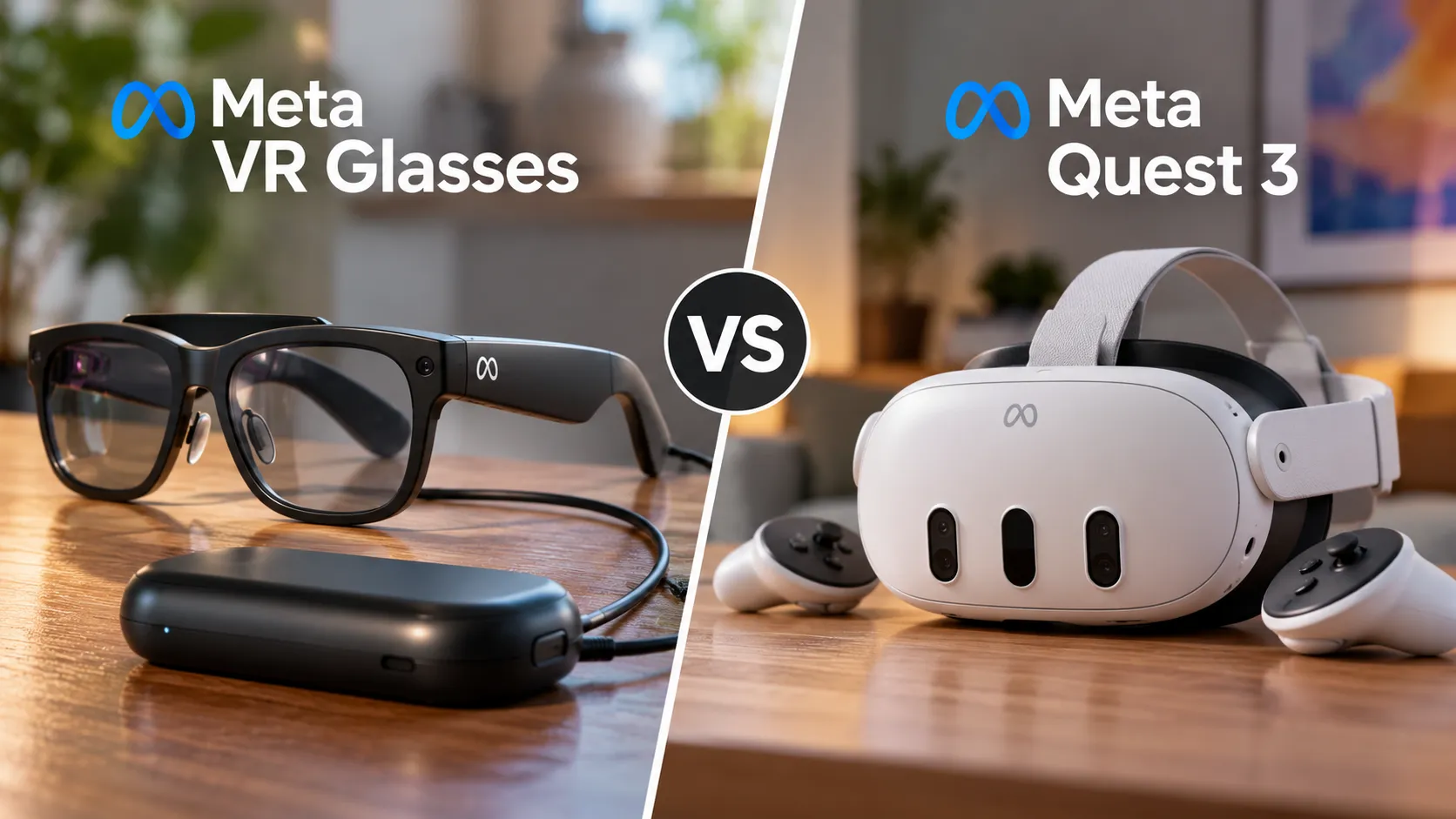
Compatibility for Expanded Quick Actions spans Meta's recent Quest lineup, though with important performance distinctions that affect user experience. Hardware requirements analysis shows that Quest 2, Quest 3, and Quest Pro all support the basic functionality, but processing power and camera improvements create a clear hierarchy of performance capabilities.
The Quest 3 benefits from enhanced processing power and improved cameras that make hand tracking feel more responsive and accurate, particularly for complex multi-finger gestures. Performance comparisons demonstrate that while Quest 2 users can access all the same gesture options, they may experience occasional recognition delays or need to be more deliberate with their hand movements for consistent results. This translates to Quest 2 users needing slightly slower, more pronounced gestures, while Quest 3 users can perform rapid, subtle hand movements with reliable recognition.
Software requirements center around having the latest Quest operating system updates installed. Version compatibility details confirm that the feature requires relatively recent firmware, making system updates essential for accessing these capabilities. The feature's machine learning components also benefit from regular updates that improve gesture recognition accuracy over time.
Where this upgrade shines brightest
The real value of Expanded Quick Actions emerges through progressive complexity across different interaction scenarios. User experience testing highlights media consumption as the entry-level sweet spot—pausing videos, adjusting volume, or navigating streaming apps with simple gestures maintains immersion while building confidence with the hand tracking system.
Building on these basic interactions, productivity applications unlock the feature's sophisticated capabilities. Workflow analysis shows that tasks like organizing virtual desktops, manipulating 3D models, or conducting presentations benefit from the precision gained through media interaction practice. Advanced users can progress to complex workflows involving simultaneous gesture combinations—like holding a virtual object with one hand while navigating menus with the other—that transform VR productivity from controller-dependent to naturally intuitive.
Social VR experiences represent the pinnacle of Expanded Quick Actions' capabilities. Community feedback indicates that natural hand gestures create more engaging interactions during virtual meetings or multiplayer experiences, where users can seamlessly transition from basic pointing to complex object manipulation to expressive social gestures. This progression from simple media controls to sophisticated social interaction demonstrates how the feature scales with user skill development.
What this means for VR's controller-free future
Expanded Quick Actions represents more than just a hidden setting—it's Meta's strategic testing ground for interaction paradigms that could fundamentally reshape VR accessibility. Industry analysis suggests this feature serves as a data collection and refinement platform for more advanced hand tracking capabilities, where user behavior patterns inform the development of truly controller-optional VR experiences.
The implications extend beyond convenience to address specific accessibility barriers that traditional controllers create. Research indicates that natural hand interaction removes barriers for users who find traditional game controllers intimidating or difficult to master, potentially expanding VR's appeal to demographics currently excluded by input complexity. This connects directly to the progressive skill-building approach—users who master media gestures naturally advance to productivity tasks, creating an accessible pathway into sophisticated VR interaction.
For current Quest users, enabling this hidden feature offers immediate access to interaction evolution while providing valuable experience with technologies that will likely become standard across VR platforms. Take a few minutes to explore your settings menu and discover what your hands can really do in virtual reality—you're not just unlocking a feature, you're stepping into the foundation of how we'll interact with virtual worlds in the years ahead.



Comments
Be the first, drop a comment!