


Galaxy XR 2D Apps into 3D: How Google's Auto-Spatialization Works
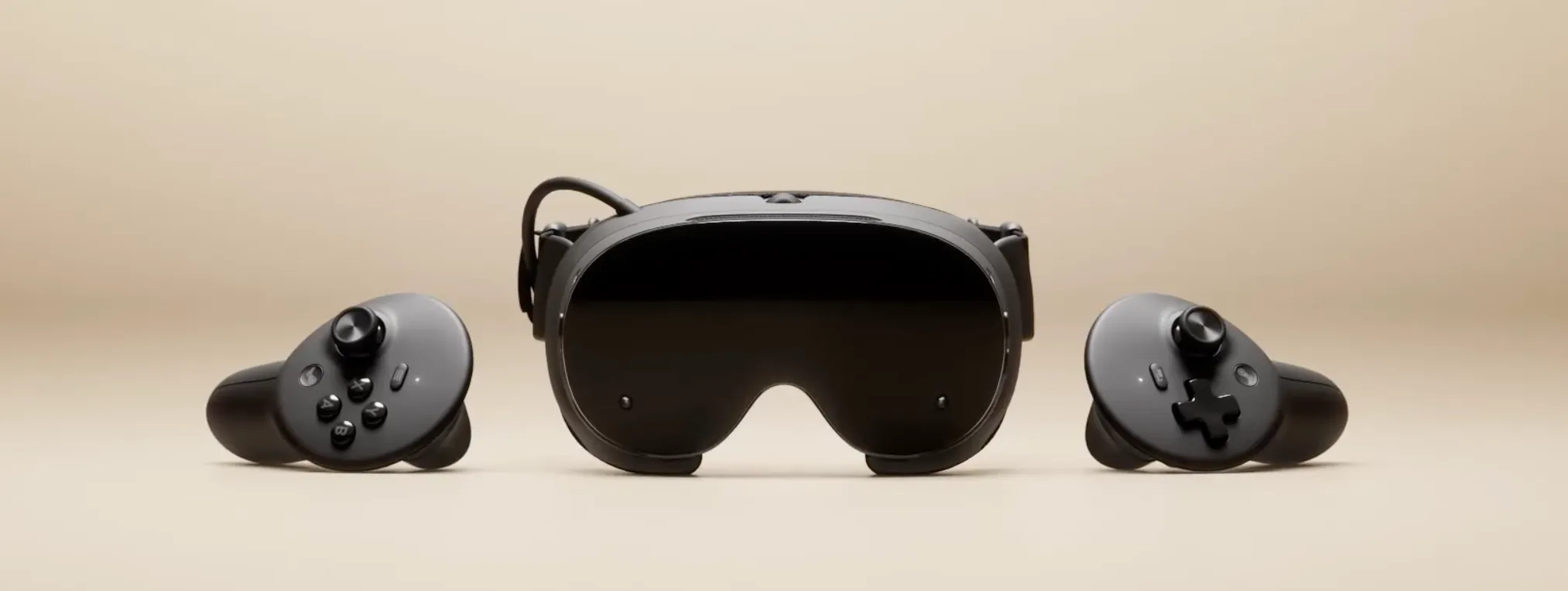
Google rolled out auto-spatialization yesterday for Samsung Galaxy XR headsets, a system-level update that turns 2D apps into 3D experiences with a single button press (Google Blog, April 7, 2026). The feature is labeled experimental and covers nearly any Android app, game, website, image, or video. For owners of the $1,800 headset, more content works in spatial mode starting today.
Whether it works well is a separate question entirely.
Google frames the problem directly: headsets capable of genuine immersion have been held back because the vast majority of apps were built for flat screens (Google Blog, April 7, 2026). Auto-spatialization is the shortcut around that, a compatibility layer that requires nothing from developers. That's the appeal. It's also the ceiling.
How Galaxy XR auto-spatialization turns 2D apps into 3D
The scope is broad by design: apps, games, websites, photos, and video all fall within the feature's stated range. Samsung had previewed a narrower version at the Galaxy XR launch in October 2025, where auto-spatialization was confined to Google Photos, adding depth to personal memories (Samsung Newsroom, October 2025). Yesterday's rollout extends that logic to much of the Android and web ecosystem.
Passive media is where the conversion has the most to work with. Video, photos, and web browsing give the system something to parse background separation, depth layers, foreground elements and users aren't expecting precision interaction, just content consumption. The headset already handles this kind of experience well: Gemini is integrated at the system level for voice, vision, and gesture assistance, and users can navigate immersive 3D Maps with personalized suggestions (Samsung Newsroom, October 2025). Spatializing that category of content is a natural extension.
Interactive apps and games are harder territory. Their layouts, tap targets, and input models were designed for a flat touchscreen. Converting them doesn't redesign any of that it places a 2D panel in 3D space. That's not the same as a spatial app. Depending on the content, it may feel disorienting. Google has not published compatibility specifics, and no independent testing exists at time of publication.
The "experimental" label deserves real weight here. A feature promising "almost any" content without production-ready reliability leaves a gap between the announcement and what owners encounter on day one. Samsung advertises roughly 2.5 hours of use under mixed workloads (Samsung Newsroom, October 2025), and what a system-wide spatialization layer costs against that budget is currently an open question not a confirmed downside, but worth watching.
For current owners: Auto-spatialization makes the headset more versatile immediately. For passive media and casual browsing, it should extend how long the device feels useful in a session. For touch-input apps and games, results will vary. Press the button, adjust expectations.
The gap between compatible and well-designed
Automatic conversion and intentional spatial design solve different problems. What XR designers call "spatial continuity" keeping users oriented as context shifts into three dimensions, preserving flow and comfort rather than just dropping a flat interface into a room (Bolder Apps Blog, March 2026) requires decisions no automated system can make. Auto-spatialization offers compatibility. It cannot offer that.
For developers who want to close that gap on purpose, Google's Jetpack Compose for XR lets teams extend existing Android apps into 3D using familiar Compose patterns without writing the app twice (Android Developers, December 2024). The core mechanism is a "subspace," a defined region within the app where 3D content activates when spatial capabilities are present and falls back to standard 2D on phones automatically. A related component, PlanarEmbeddedSubspace, lets developers embed 3D content directly within a 2D layout hierarchy, preserving the parent constraints while adding depth. The difference in the user experience between that and auto-conversion is significant one was designed for the medium, the other was translated into it.
The web path has real trade-offs too. Chrome for Android XR supports the W3C's WebXR standard, including depth sensing, hand input, hit testing, and spatial anchors (Android Developers, December 2024). But existing WebXR experiences built for mobile require explicit code changes: adapting from one screen to two stereoscopic displays, and reorienting from touch to hand-first input as the primary interaction model. The documentation is complete. The work is not automatic.
Here's the bet Google is making: auto-spatialization is the floor. It makes existing content functional on day one with zero developer involvement. Compose for XR and WebXR adaptation represent what Android XR looks like when developers build for spatial rather than being converted into it. The feature that shipped yesterday is a bridge. Its value depends entirely on whether it extends useful time on the headset long enough for a native app ecosystem to grow underneath it. If the conversions are too inconsistent to keep users engaged, the bridge leads nowhere.
What the rest of the update shows about platform maturity
Auto-spatialization is the headline, but two other features in yesterday's update may prove more durable for daily use. Users can now pin apps to physical walls so they remain anchored exactly where placed (Google Blog, April 7, 2026). The underlying persistent anchor extensions have been part of the Android XR developer stack since at least April 2025 (Android Developers, April 2025) and are now surfaced in consumer software. A headset that remembers where you left things is meaningfully different from one that resets the room every session.
In home space mode, users now see their actual hands interacting with virtual content instead of simplified white outlines (Google Blog, April 7, 2026). Google describes this explicitly as keeping users "visually grounded" in their physical space. The update also includes hand tracking, eye tracking, and accessibility improvements across the platform.
Neither feature is dramatic on its own. Together, they point at something deliberate. People won't keep using a headset that forgets the room every time they put it on, or one where their own hands look like placeholder graphics. Google is removing the small frictions that cause users to take the headset off and not put it back on because auto-spatialized content only matters if users are actually spending time in the device. The bet on the compatibility layer and the bet on reducing friction are the same bet.
The strategy is now legible
What yesterday's update delivers makes the Galaxy XR more functional for more content starting today. The honest question isn't whether auto-spatialization works. It's whether it works consistently enough to extend how long people stay in the headset, because sustained use is the only real test of whether a compatibility layer becomes a platform feature or a demo that ships and gets quietly ignored.
The clearest signal for where Android XR is heading isn't in the consumer features it's in the toolchain. Jetpack Compose for XR and WebXR support give developers a practical migration path from 2D Android to spatial-native apps without starting from scratch (Android Developers, December 2024). Auto-spatialization buys time for that ecosystem to develop. The strategy only works if the stopgap holds.
Google's plan is: compatibility now, native spatial design later. How well the compatibility layer performs in real owners' hands over the next several weeks will determine whether "later" arrives on schedule or whether it confirms there's no substitute for software designed for the medium from the start.



Comments
Be the first, drop a comment!